
FFXI private server bot for HorizonXI, Eden, Phoenix & CatseyeXILet the grindrun itself
XiHelper is a Windows bot for Final Fantasy XI private servers (HorizonXI, Eden, Phoenix and CatseyeXI): farming, combat, NM claiming, crafting, fishing, gathering, chocobo digging and parties, in one window beside your game.
48 hours free, no payment needed · Windows · pay with crypto or PayPal · one running copy per key
- 1,677Bot hours
- 22,536Mobs defeated
- 48,124Fish caught
- 10,381Synths crafted
- 4,773Chocobo digs
Totals from the session logs players share with us, since September 2026. Players who turn their logs off are not counted.
One window. Every job.
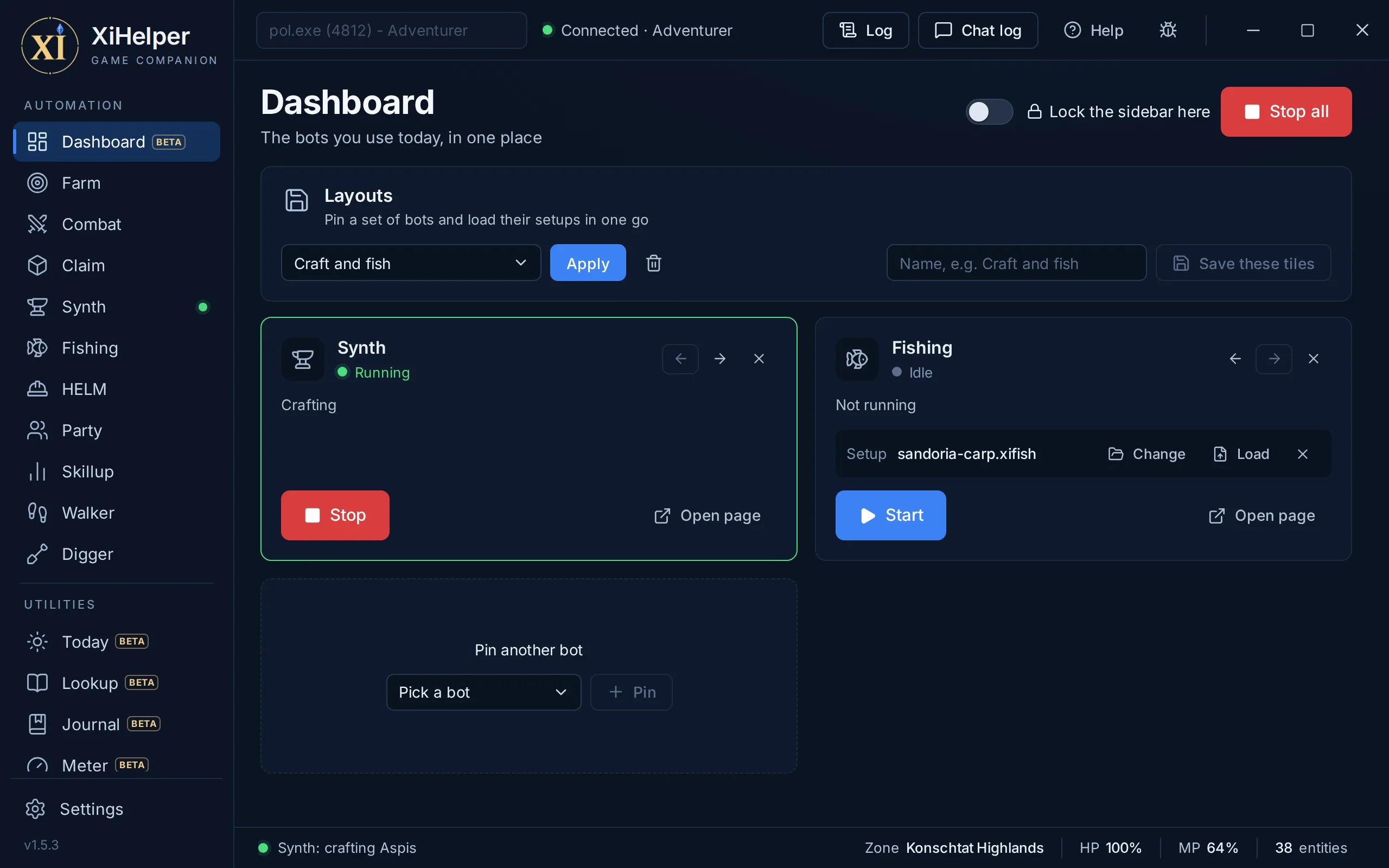
24 pages in one window that sits beside your game. Pin the bots you use today to the Dashboard. This is the real app.
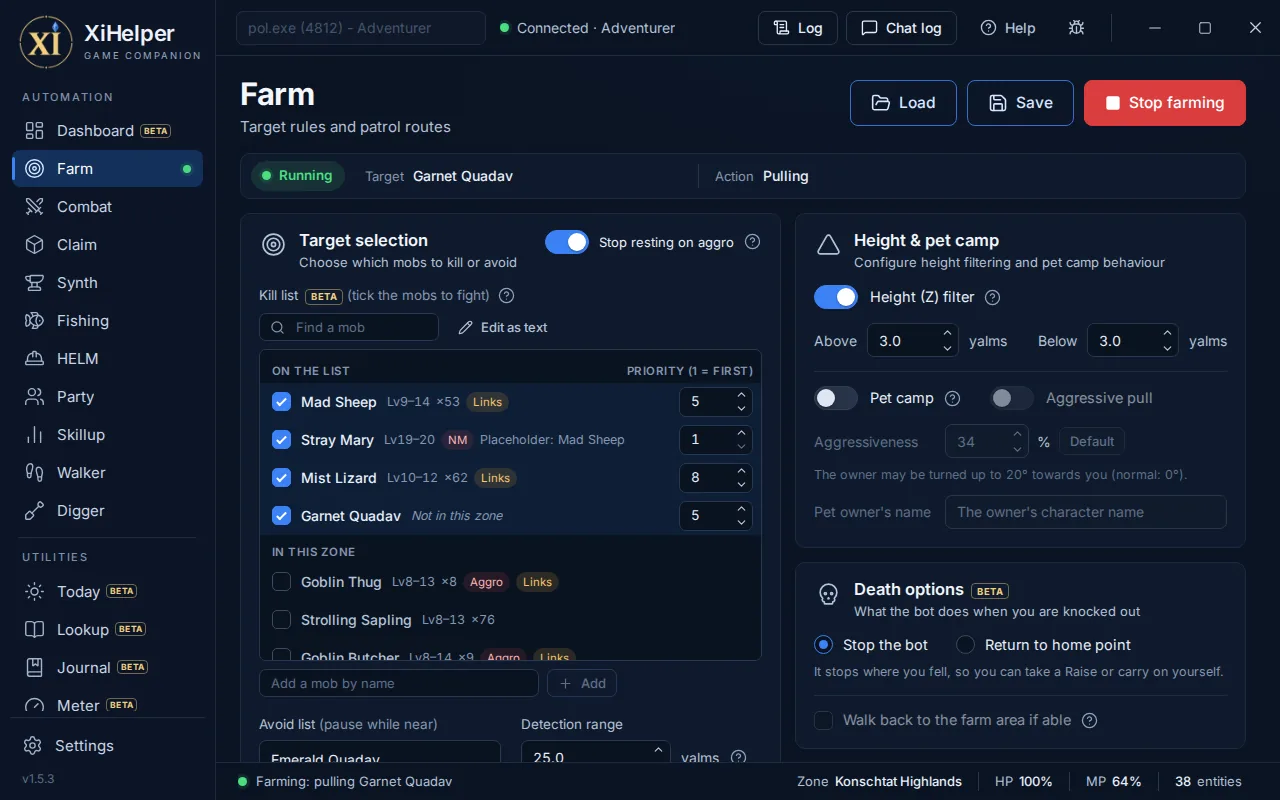
Hunts your route
Record a patrol as you walk it. XiHelper hunts the mobs on your kill list along it, keeps clear of your avoid list, and hands each fight to your Combat routine.
- Nearest valid target first, every spawn tracked on its own
- Aggressive mobs first, before one joins in halfway through a fight
- Pull recovery: turns to face the mob, re-equips ammo, tries again
Fights your way
A routine for your job, phase by phase: healing, pre-engage, in combat and after the kill. Each action fires only when the conditions you set are met.
- Conditions on HP, MP, TP and any of 624 status effects
- Assist mode: follows a leader and engages when they do
- Pet, Dancer and Dynamis proc conditions
Camps the NM
Your NMs and their windows sit at the top of the page, and Claim it puts one on the bot's list. It watches for it, closes in the moment it appears and fires your claim ability or spell, leaving alone anything another player has tagged.
- NM windows built in: a warning before one opens, and when it pops
- Extended Range: heads for one a Wide Scan finds past render range
- Placeholders too, only while the NM itself is nowhere to be had
Crafts while you rest
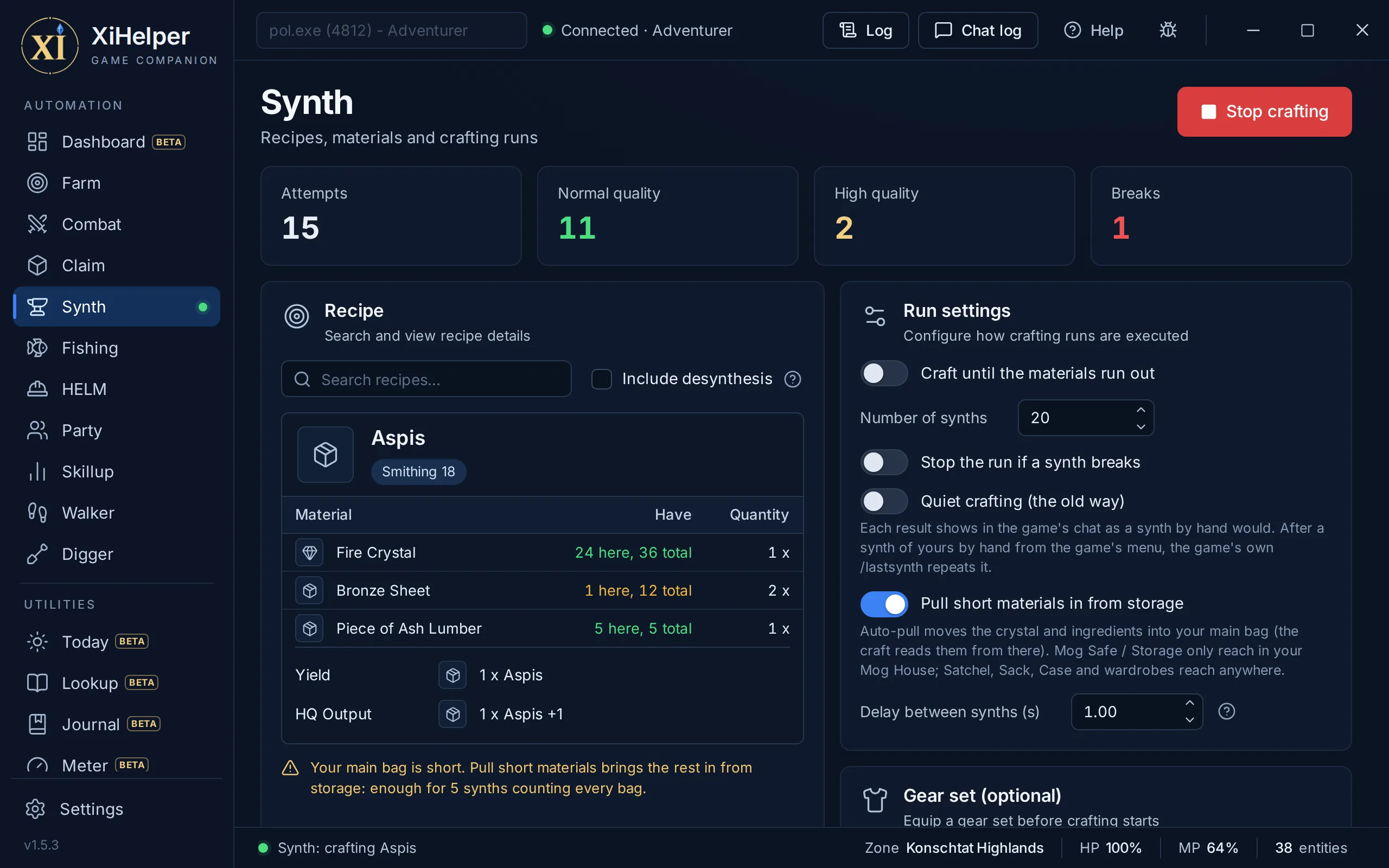
Pick a recipe from 3,907 built in, desynthesis included, and it repeats it hands-free with a live tally of NQ, HQ and breaks.
- Shows what you can make from what you hold
- Pulls short materials in from your other bags
- Puts on your crafting gear set first
Casts, hooks and reels
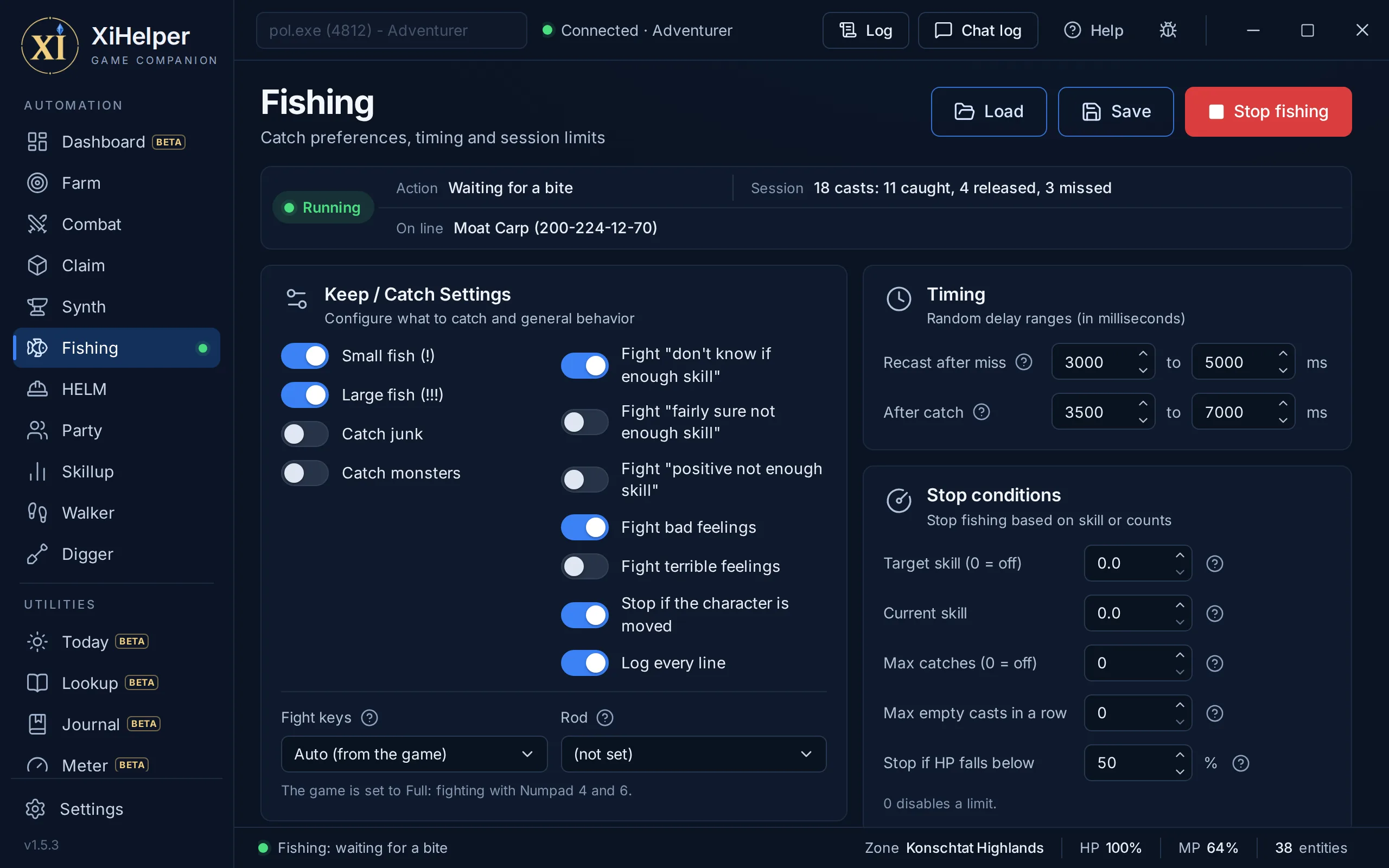
Casts, waits for a bite, plays the fight with key presses and reels in. Keep and release lists decide what stays in your bag.
- Reads the game itself: every bite and feeling, straight from the game, never the chat log
- Lets go in a second when a catch is not one you want
- Bait from every bait and lure, the ones that bite here first
Works every point
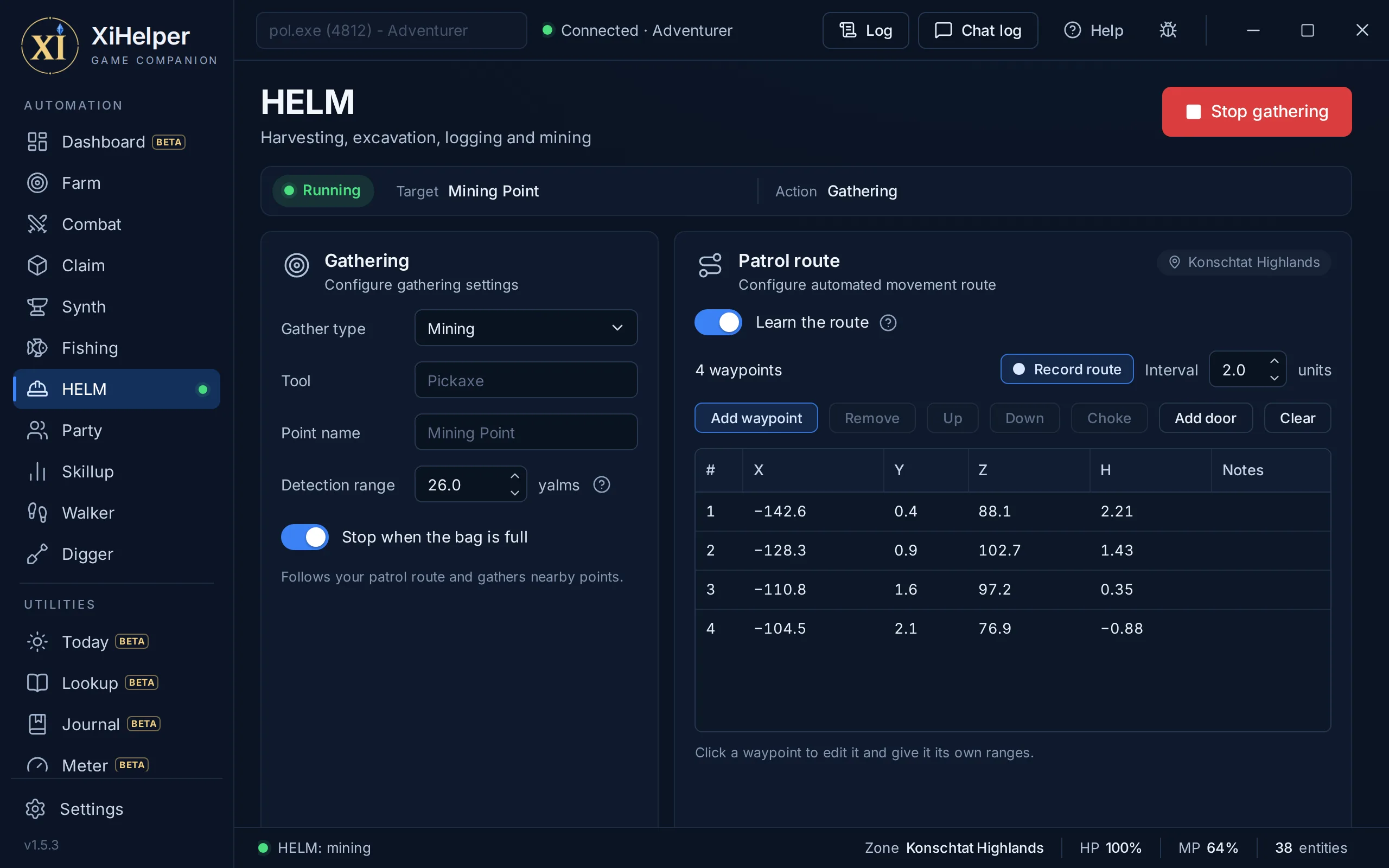
Walks a patrol and works every Mining, Logging, Harvesting or Excavation point in range, with the right tool for the job.
- Its own route per zone, over the navmesh
- Stops on a full bag or when the tools run out
- Custom point names
Plays its role
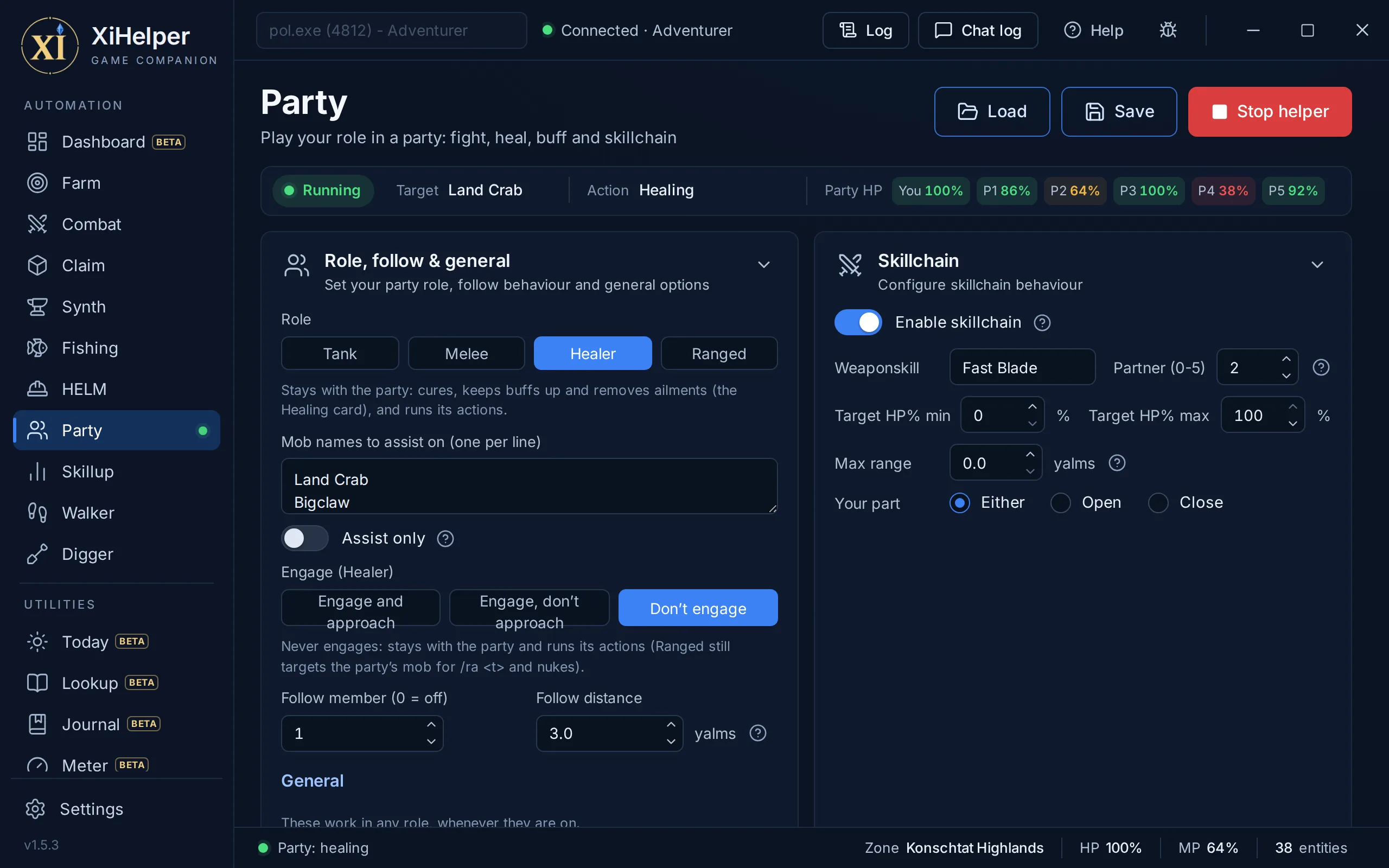
Tank, melee or ranged: assists on the mobs attacking your party, follows a member at the distance you set, and keeps everyone topped up.
- Walks into weapon skill range for the skillchain
- Skillchain partner on your weapon skill
- Tiered auto-cure from Cure to Cure V
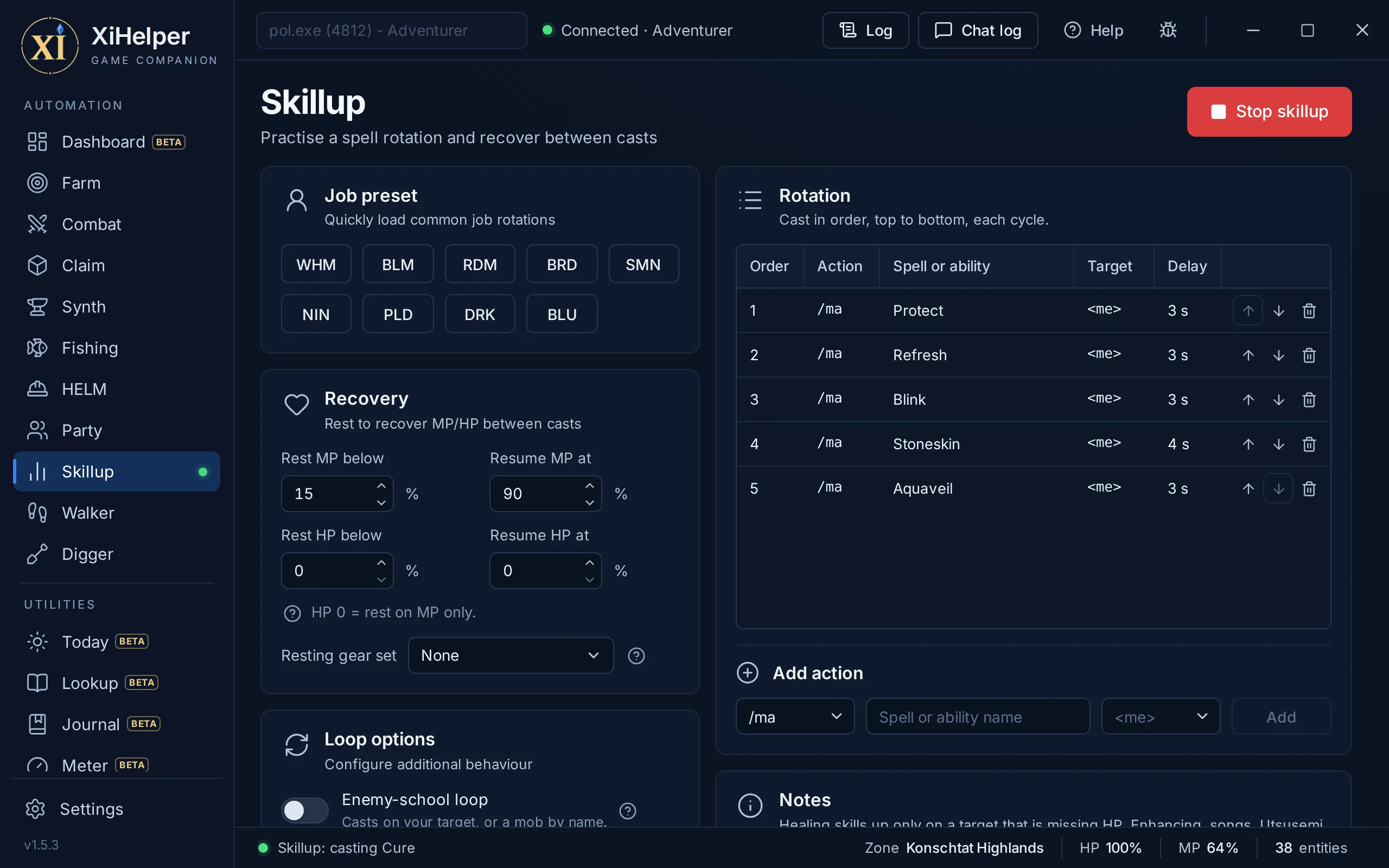
Grinds your skills
Loops a spell rotation for magic skill-ups, rests for MP and goes again. One click loads a preset for your job.
- Presets for WHM, BLM, RDM, BRD, SMN, NIN, PLD, DRK and BLU
- Rests and resumes at the MP and HP you choose
- Summoner Blood Pact loop
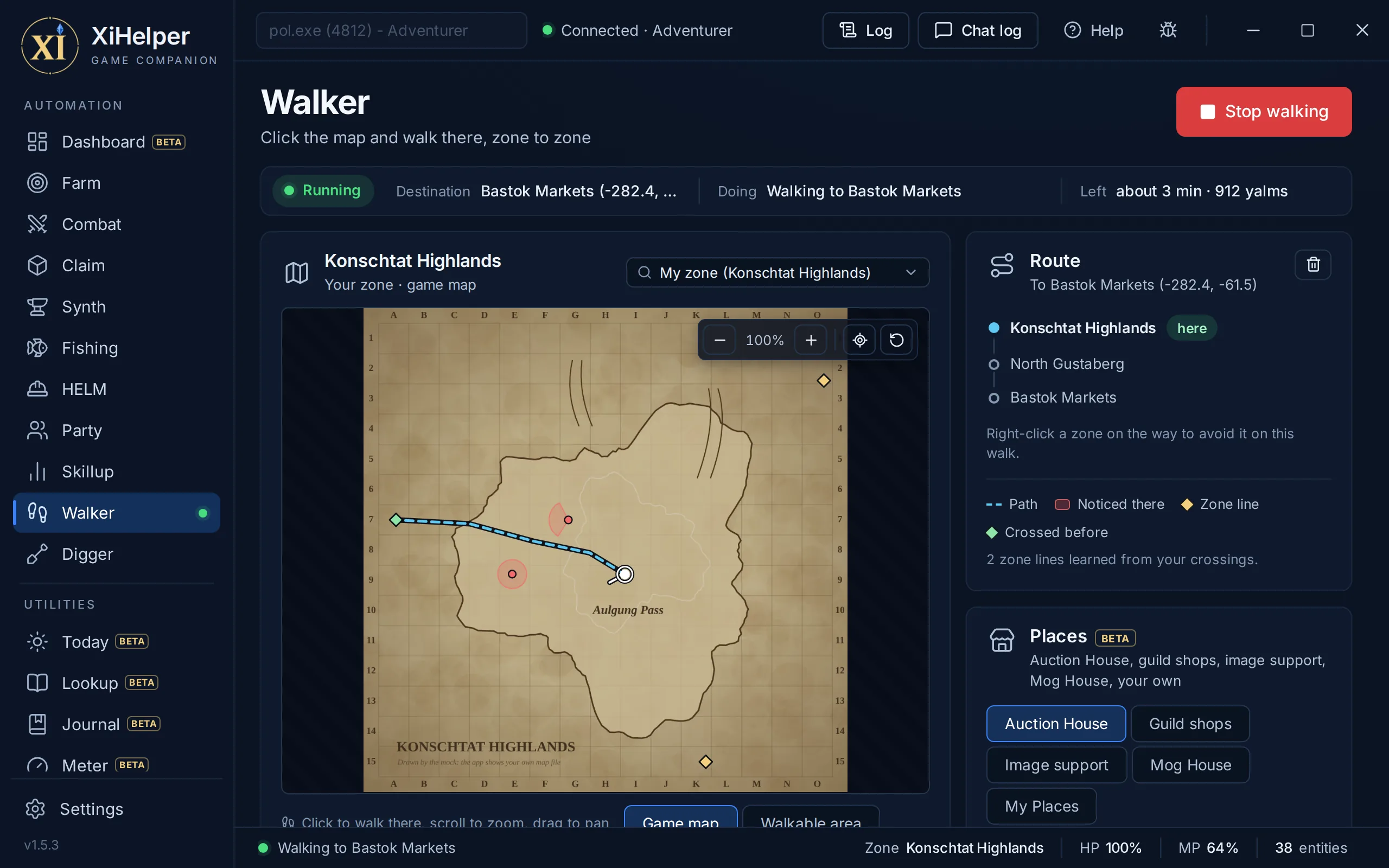
Finds its own way
Click a spot on any zone map and it walks you there, across as many zones as it takes, round the mobs that would notice you.
- Any map: pick a zone, click, and it plans the zone lines
- Out of sight and earshot of aggressive mobs
- Sneak and Invisible put back on when they wear off
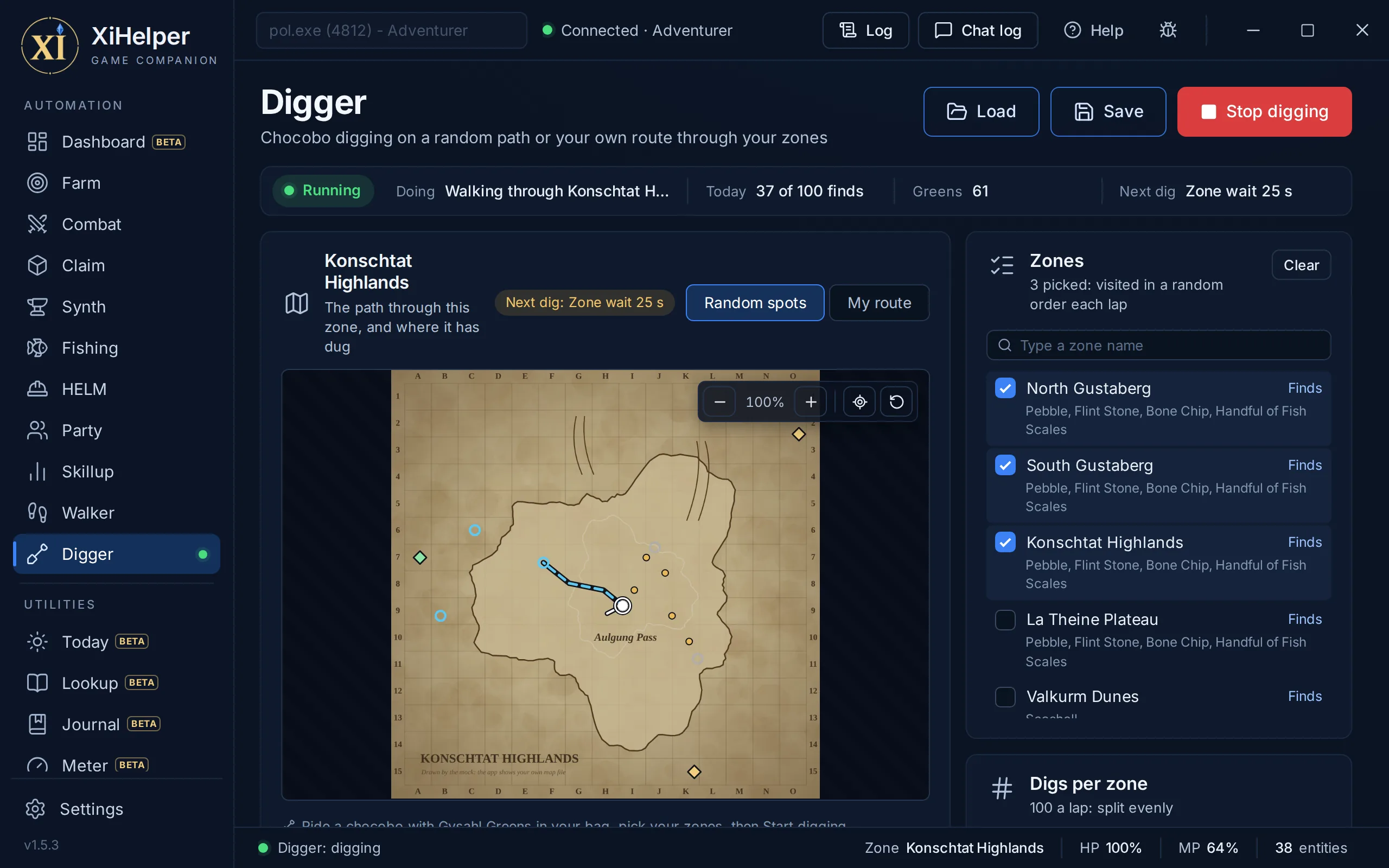
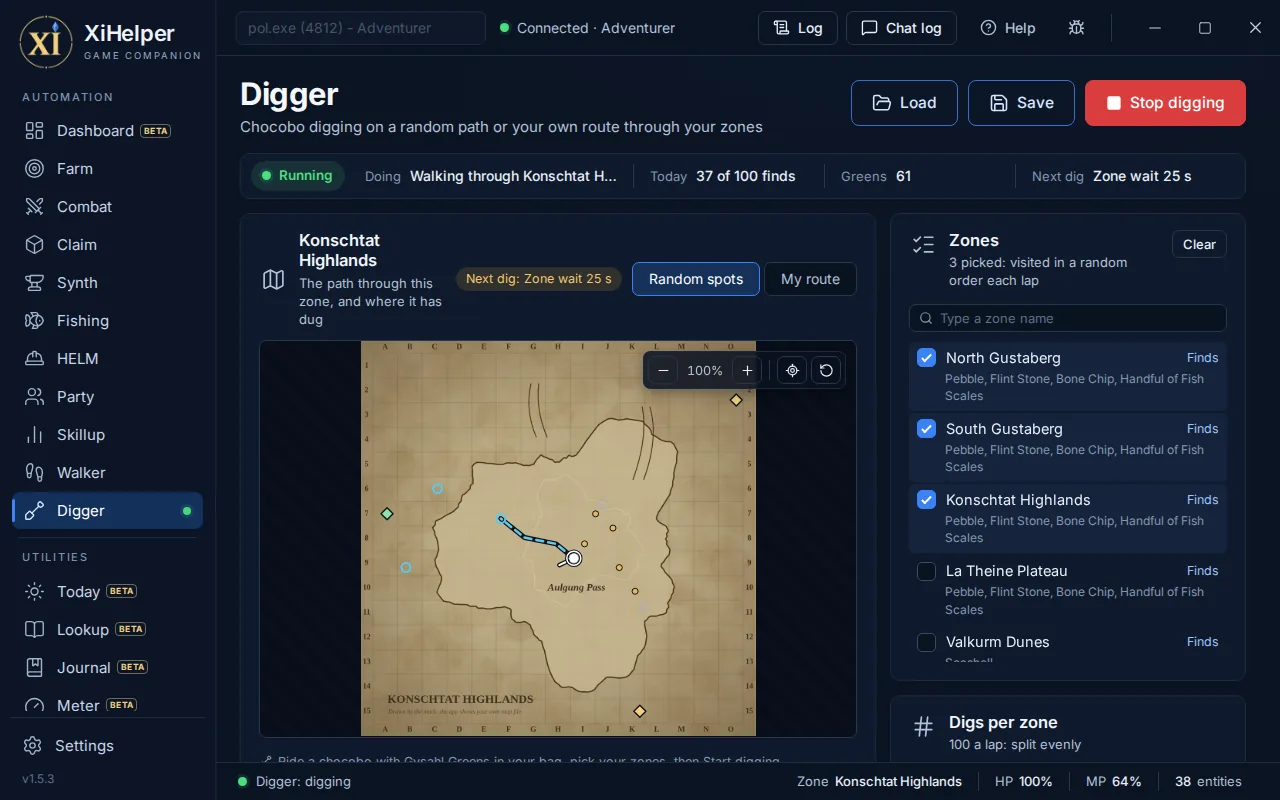
Digs a new path every time
Ride a chocobo, tick the zones you want, and it digs its way through them: round a route you draw, or on a random path, never the same twice, at the pace the server allows.
- Your own route per zone, or a fresh random one every lap
- Digs per zone split evenly, then yours to change
- Stops when the greens, the bag or the day's finds run out
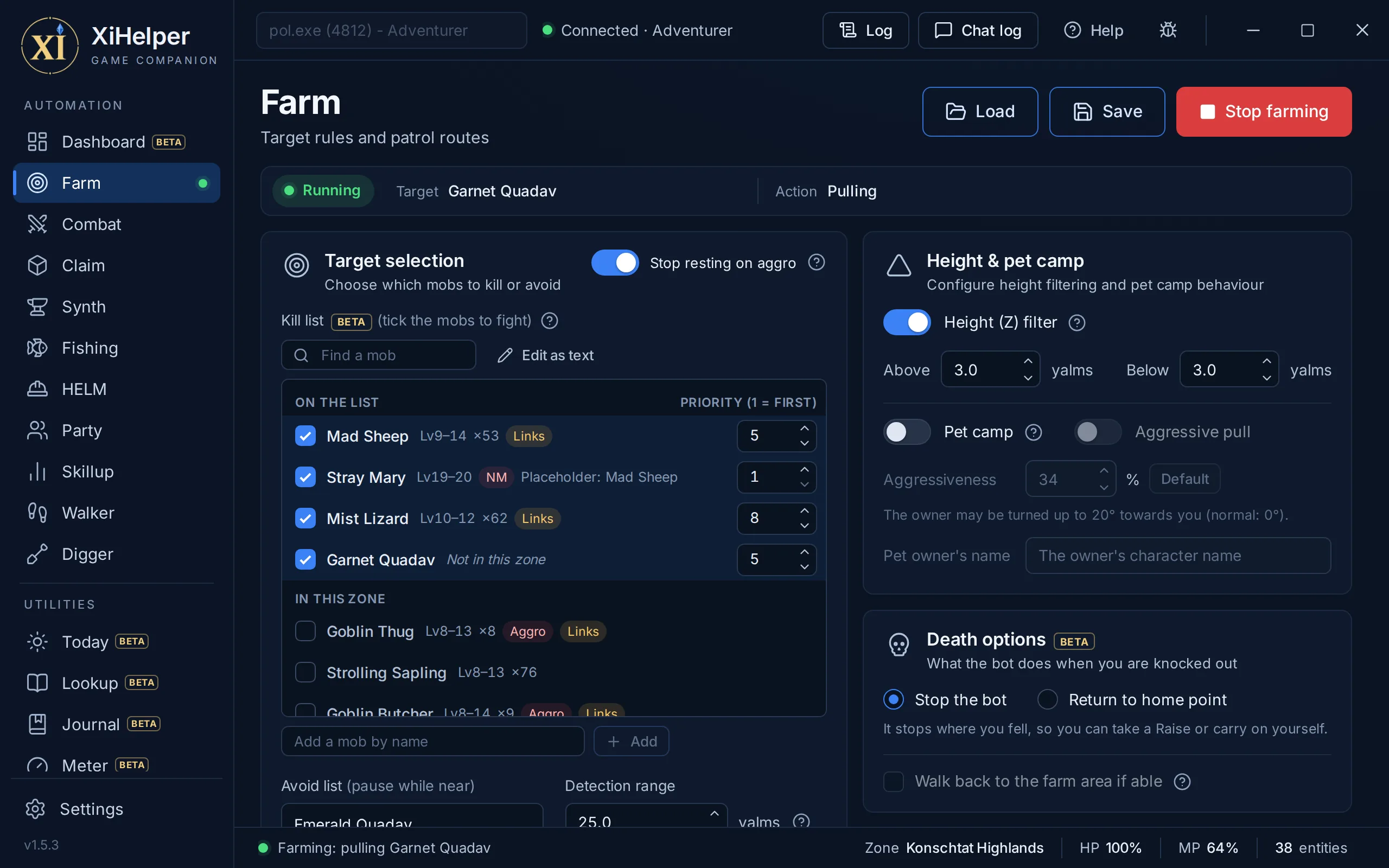
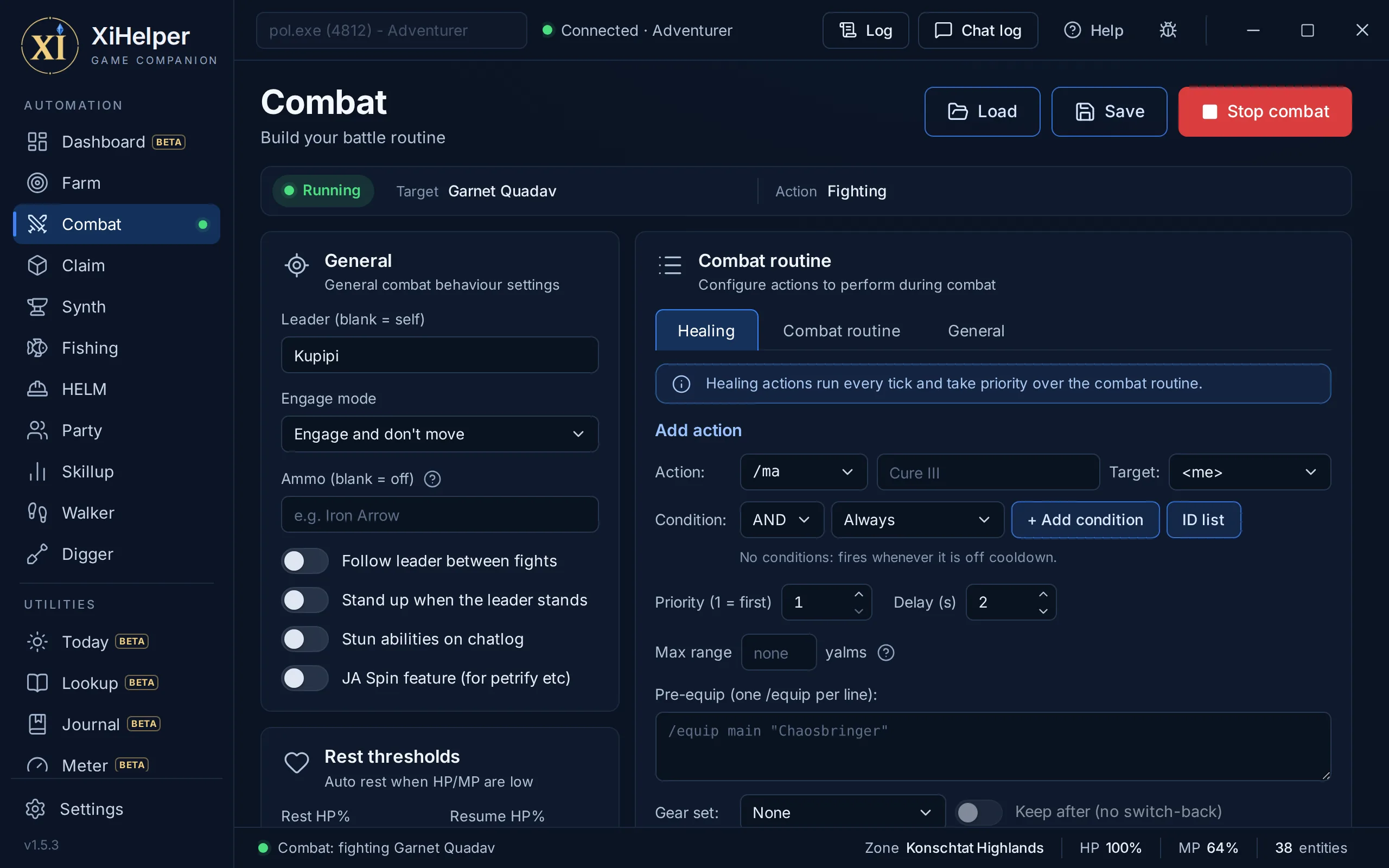
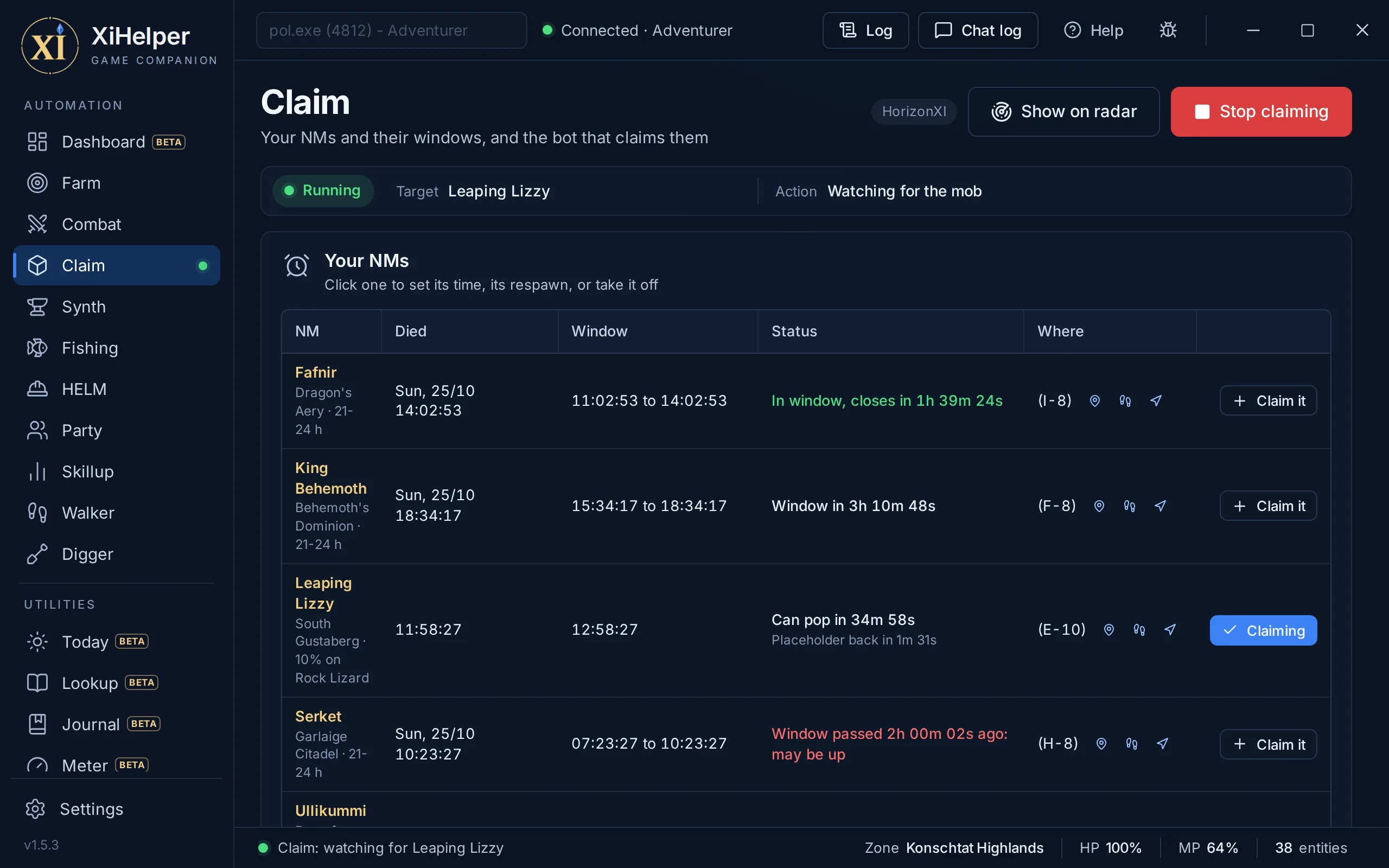
Every tab, a different job
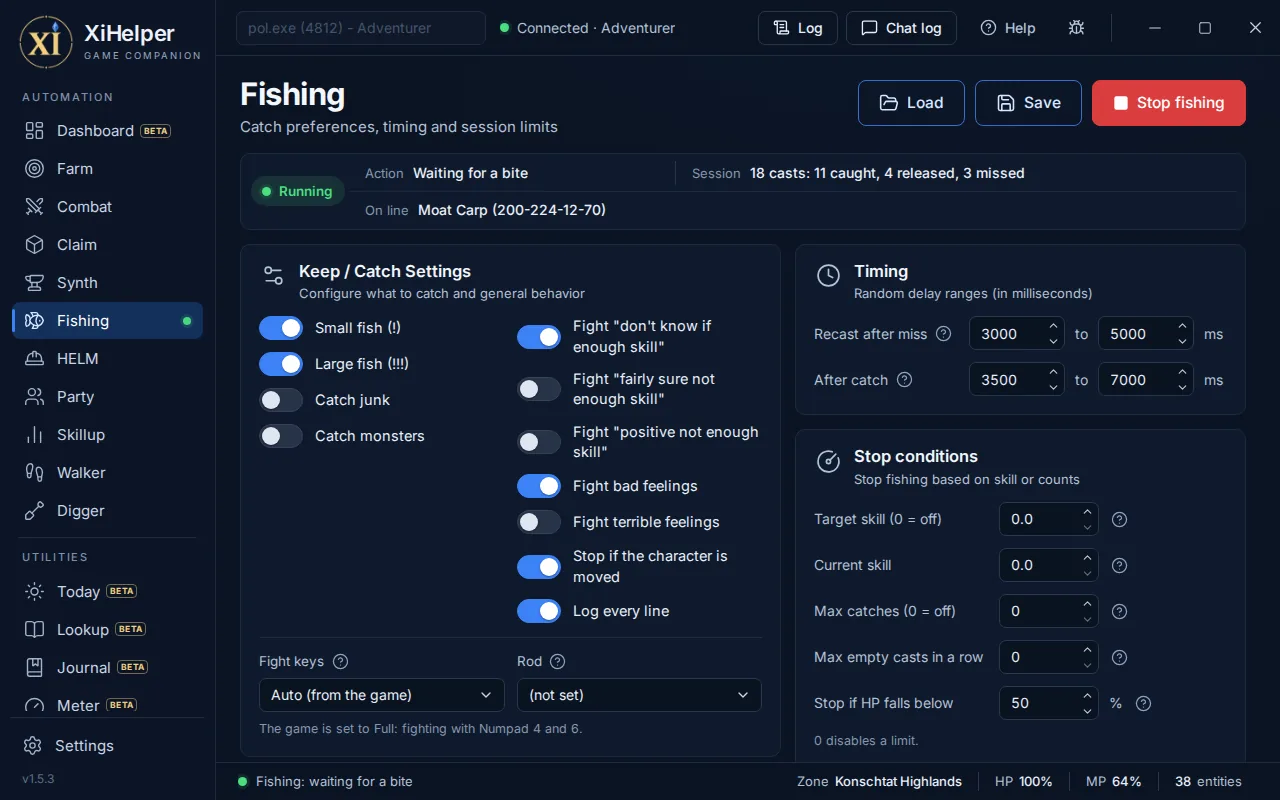
Hunts your route
Record a patrol as you walk it. XiHelper hunts the mobs on your kill list along it, keeps clear of your avoid list, and hands each fight to your Combat routine.
- Nearest valid target first, every spawn tracked on its own
- Aggressive mobs first, before one joins in halfway through a fight
- Pull recovery: turns to face the mob, re-equips ammo, tries again
Fights your way
A routine for your job, phase by phase: healing, pre-engage, in combat and after the kill. Each action fires only when the conditions you set are met.
- Conditions on HP, MP, TP and any of 624 status effects
- Assist mode: follows a leader and engages when they do
- Pet, Dancer and Dynamis proc conditions
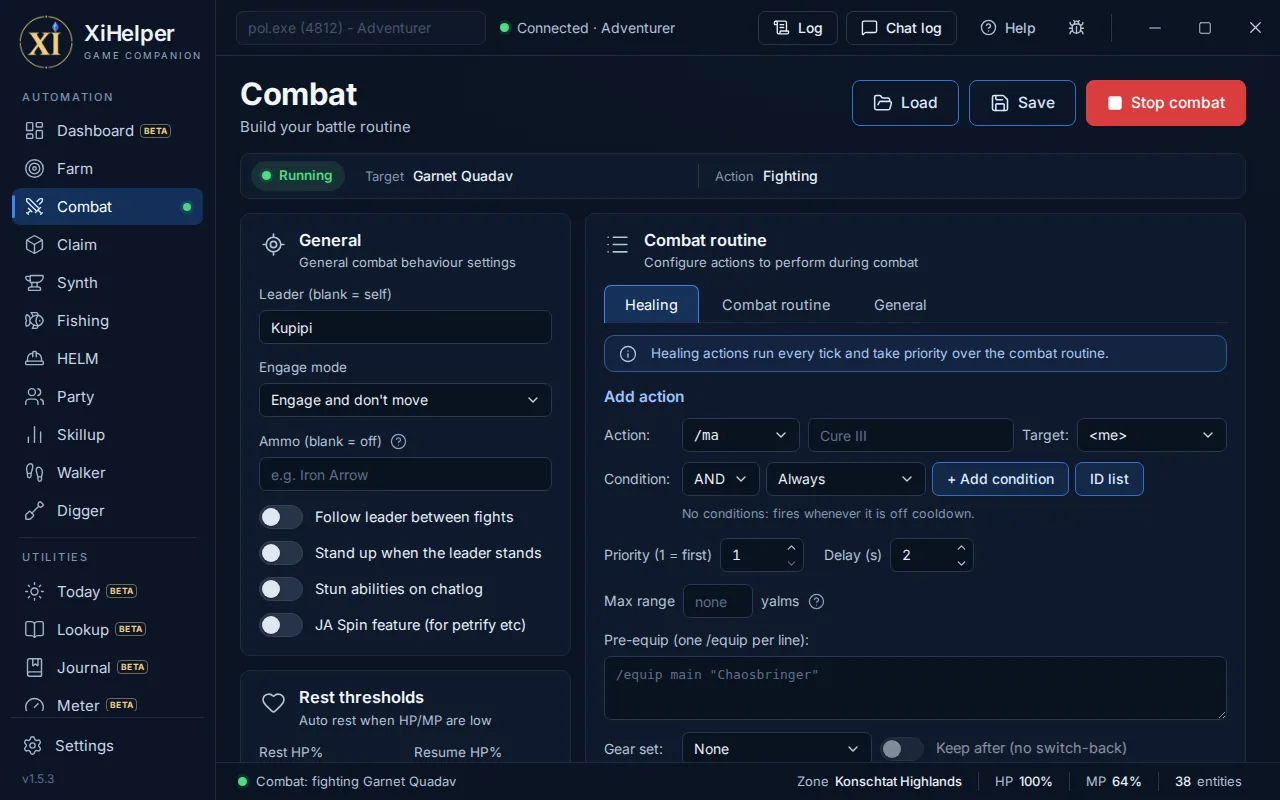
Camps the NM
Your NMs and their windows sit at the top of the page, and Claim it puts one on the bot's list. It watches for it, closes in the moment it appears and fires your claim ability or spell, leaving alone anything another player has tagged.
- NM windows built in: a warning before one opens, and when it pops
- Extended Range: heads for one a Wide Scan finds past render range
- Placeholders too, only while the NM itself is nowhere to be had
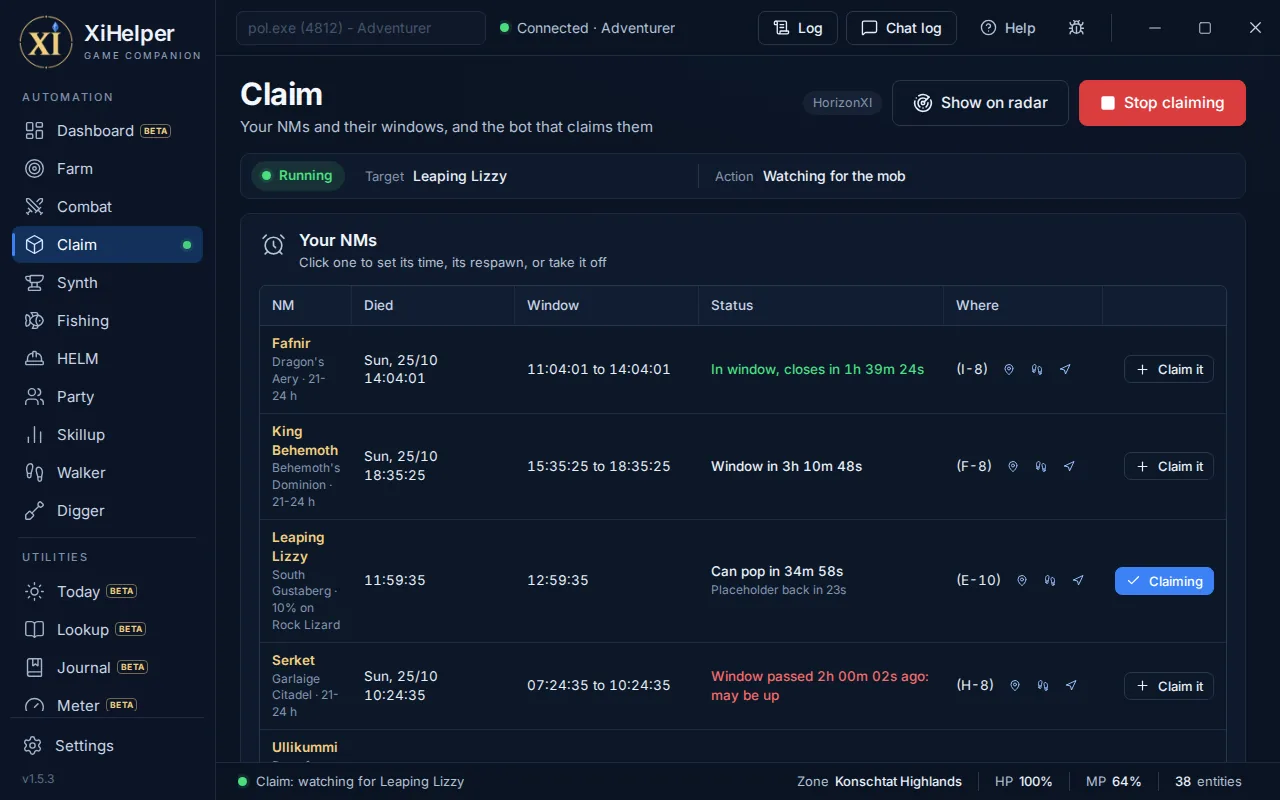
Crafts while you rest
Pick a recipe from 3,907 built in, desynthesis included, and it repeats it hands-free with a live tally of NQ, HQ and breaks.
- Shows what you can make from what you hold
- Pulls short materials in from your other bags
- Puts on your crafting gear set first
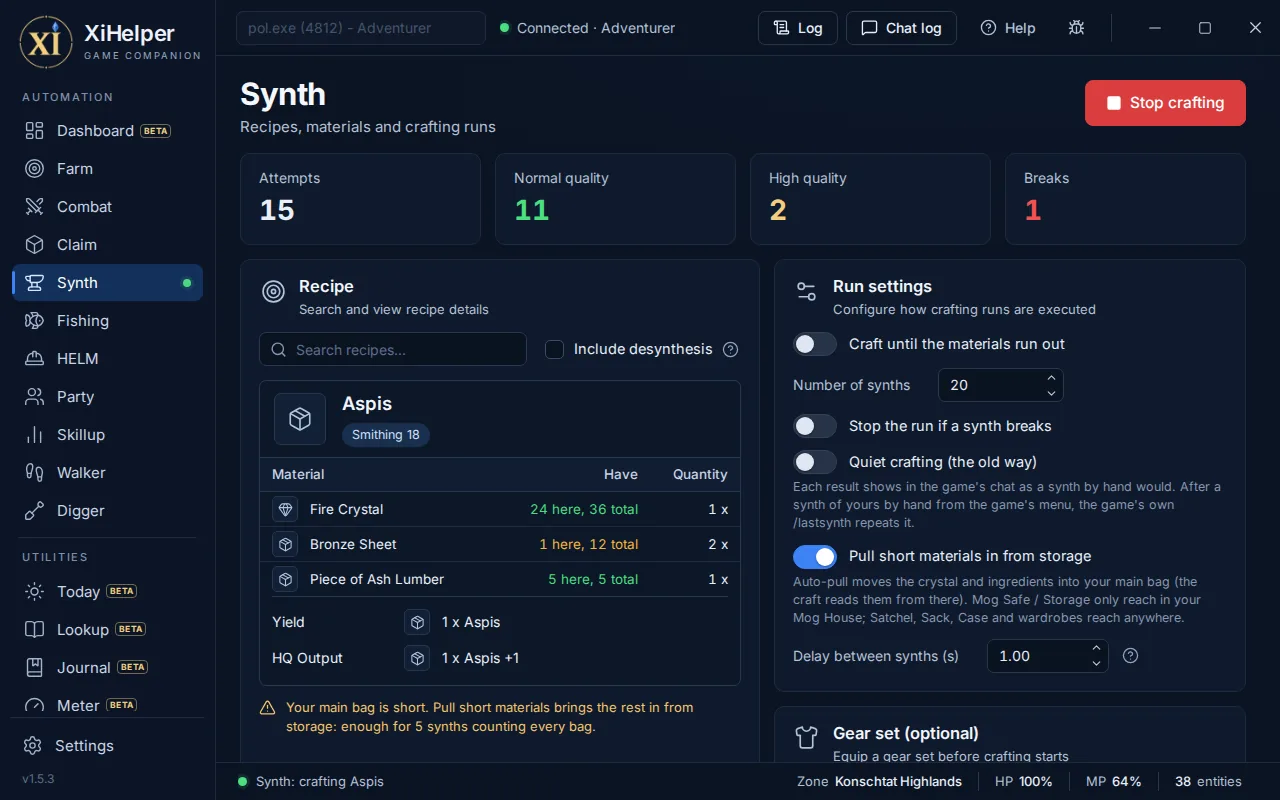
Casts, hooks and reels
Casts, waits for a bite, plays the fight with key presses and reels in. Keep and release lists decide what stays in your bag.
- Reads the game itself: every bite and feeling, straight from the game, never the chat log
- Lets go in a second when a catch is not one you want
- Bait from every bait and lure, the ones that bite here first
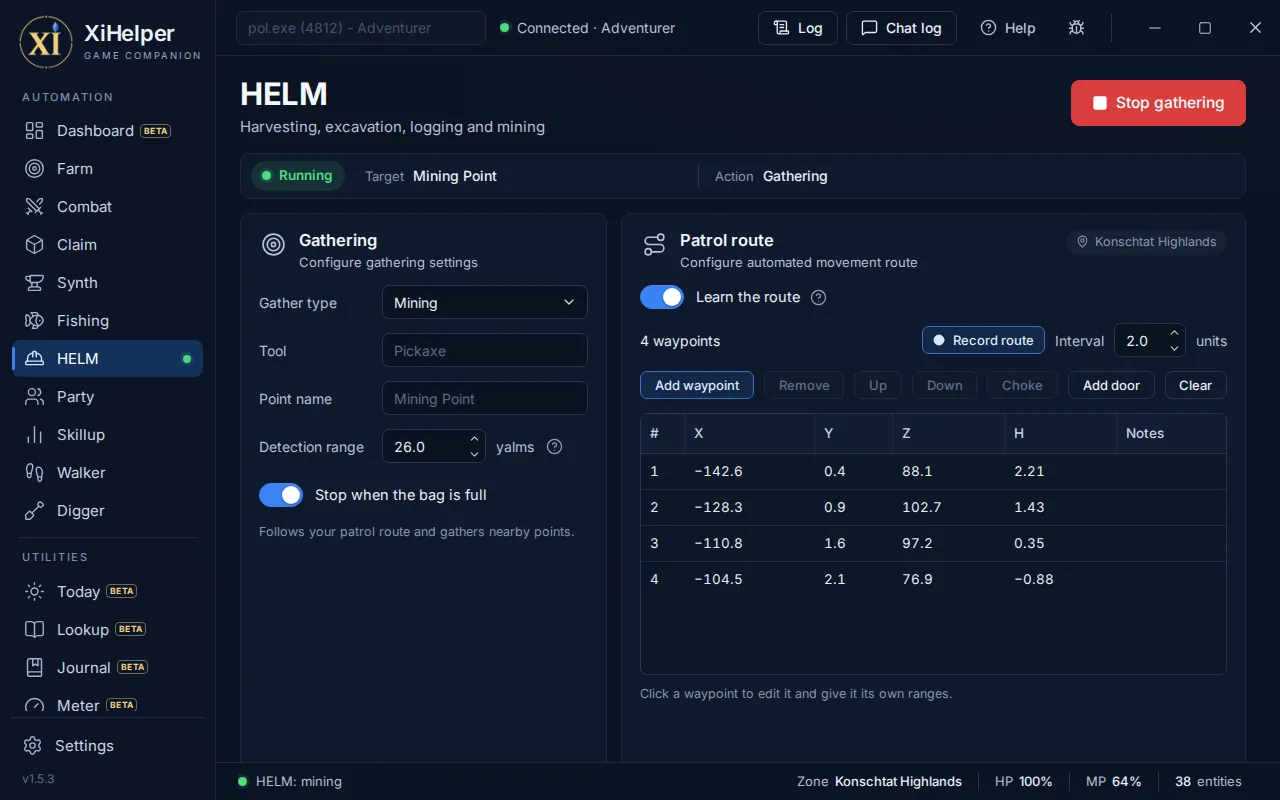
Works every point
Walks a patrol and works every Mining, Logging, Harvesting or Excavation point in range, with the right tool for the job.
- Its own route per zone, over the navmesh
- Stops on a full bag or when the tools run out
- Custom point names
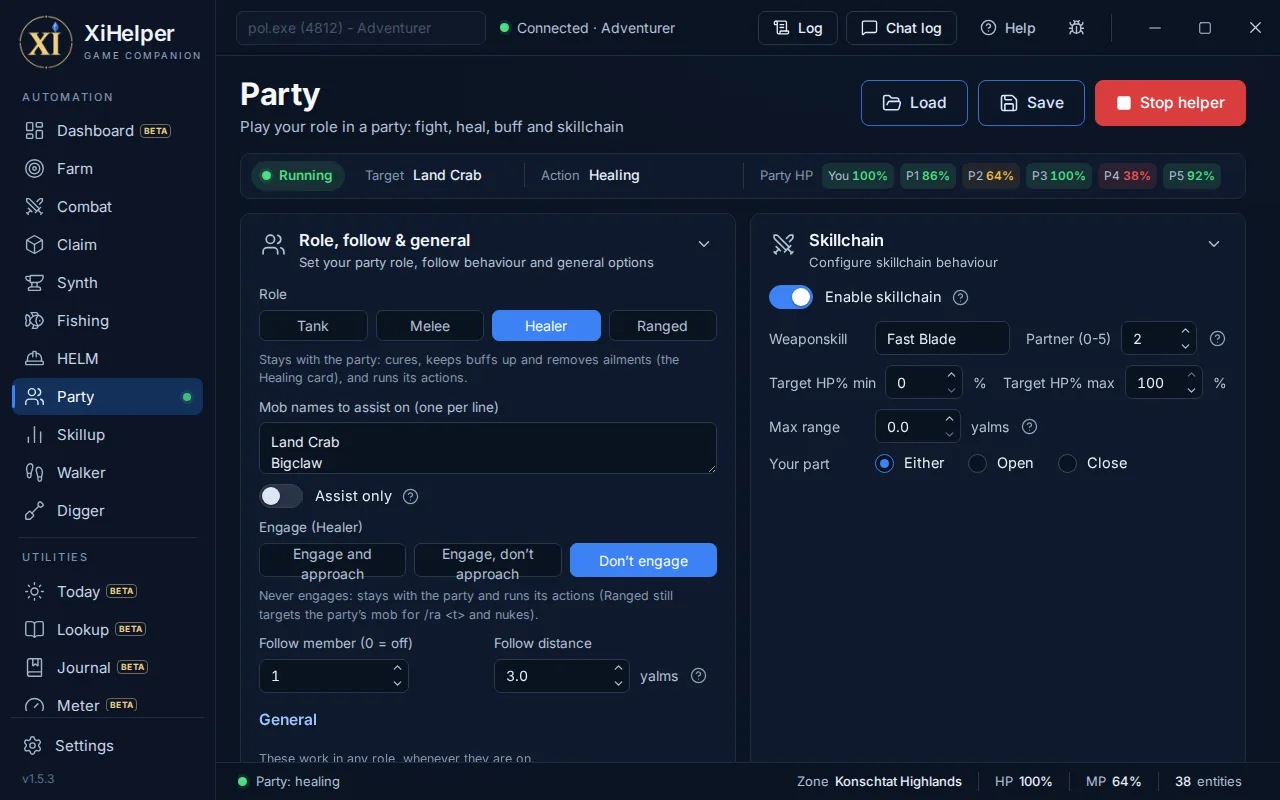
Plays its role
Tank, melee or ranged: assists on the mobs attacking your party, follows a member at the distance you set, and keeps everyone topped up.
- Walks into weapon skill range for the skillchain
- Skillchain partner on your weapon skill
- Tiered auto-cure from Cure to Cure V
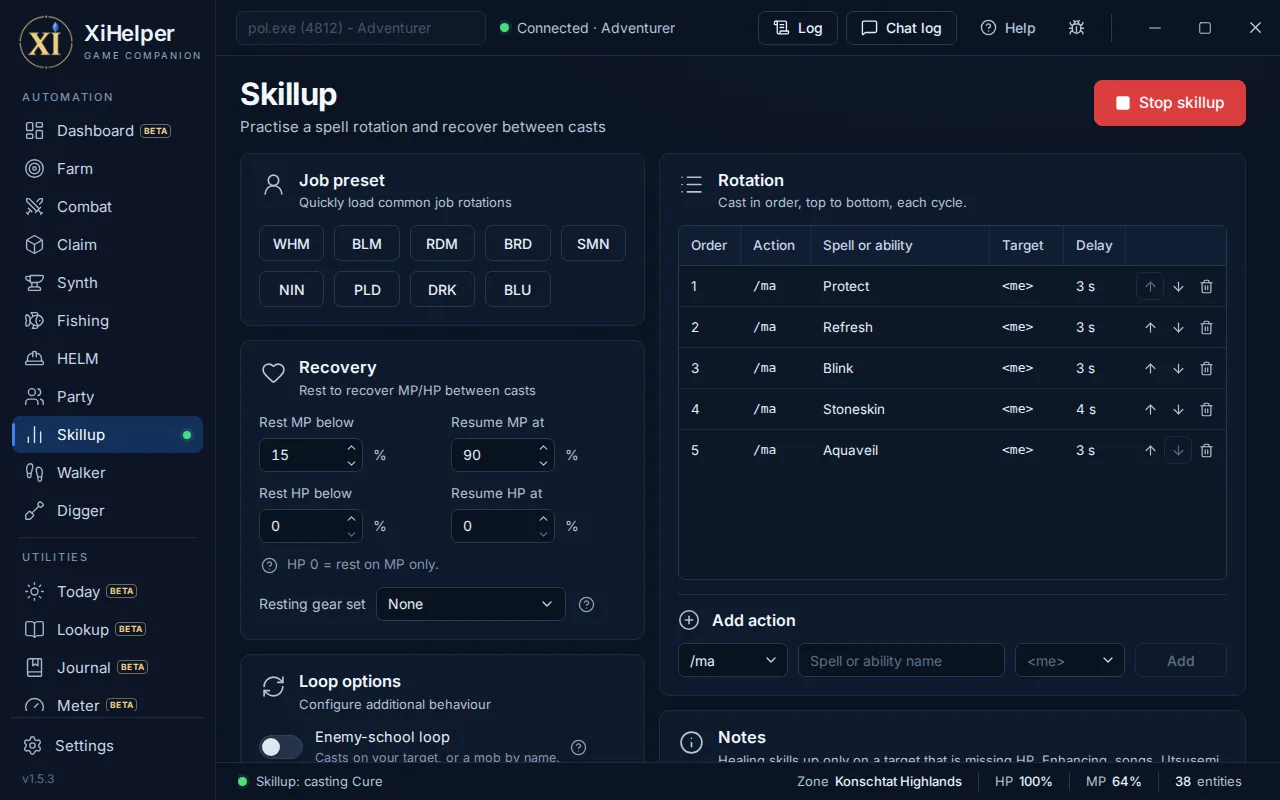
Grinds your skills
Loops a spell rotation for magic skill-ups, rests for MP and goes again. One click loads a preset for your job.
- Presets for WHM, BLM, RDM, BRD, SMN, NIN, PLD, DRK and BLU
- Rests and resumes at the MP and HP you choose
- Summoner Blood Pact loop
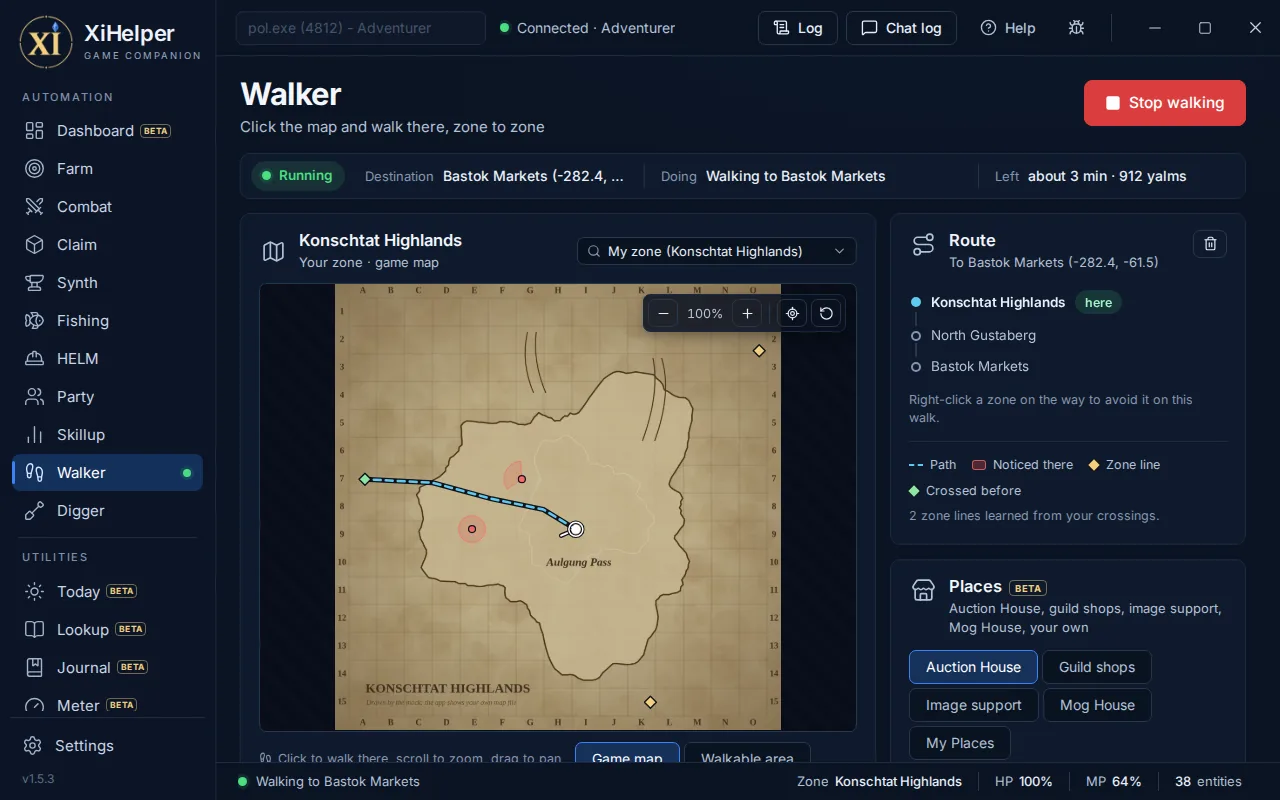
Finds its own way
Click a spot on any zone map and it walks you there, across as many zones as it takes, round the mobs that would notice you.
- Any map: pick a zone, click, and it plans the zone lines
- Out of sight and earshot of aggressive mobs
- Sneak and Invisible put back on when they wear off
Digs a new path every time
Ride a chocobo, tick the zones you want, and it digs its way through them: round a route you draw, or on a random path, never the same twice, at the pace the server allows.
- Your own route per zone, or a fresh random one every lap
- Digs per zone split evenly, then yours to change
- Stops when the greens, the bag or the day's finds run out
It picks its fights like you would
The hard part of farming is not swinging a sword. It is choosing the right mob, pulling it once, and leaving everyone else's alone.
- Nearest valid target, every timeOn your kill list, alive, unclaimed, inside your range and height band.
- Every spawn on its ownTwo Garnet Quadav are two mobs: it knows which one you pulled.
- Your avoid list, respectedIt pauses while anything on it is close, and picks mobs away from them.
- One pull at a timeA mob already yours or already on you gets fought, not pulled again.
See the whole zone at a glance
A live map of everything around you, on the Radar page or popped out beside the game. With the maps download, the zone's own map sits behind the blips, and most zones line themselves up.
- Your targetPicked out in gold, always.
- Your partyWhere everyone is, at a glance.
- Claimed by youMobs that are already yours.
- NMs and their placeholdersMarked from the Claim page's list, and with Claim alert on, the one the bot is going for glows, with a chime.
- Everything elseZoom, pan, compass rings, 74 zone maps in the maps download, and the zone's terrain where its map does not line up.
Konschtat Highlands
24 in range · zone map
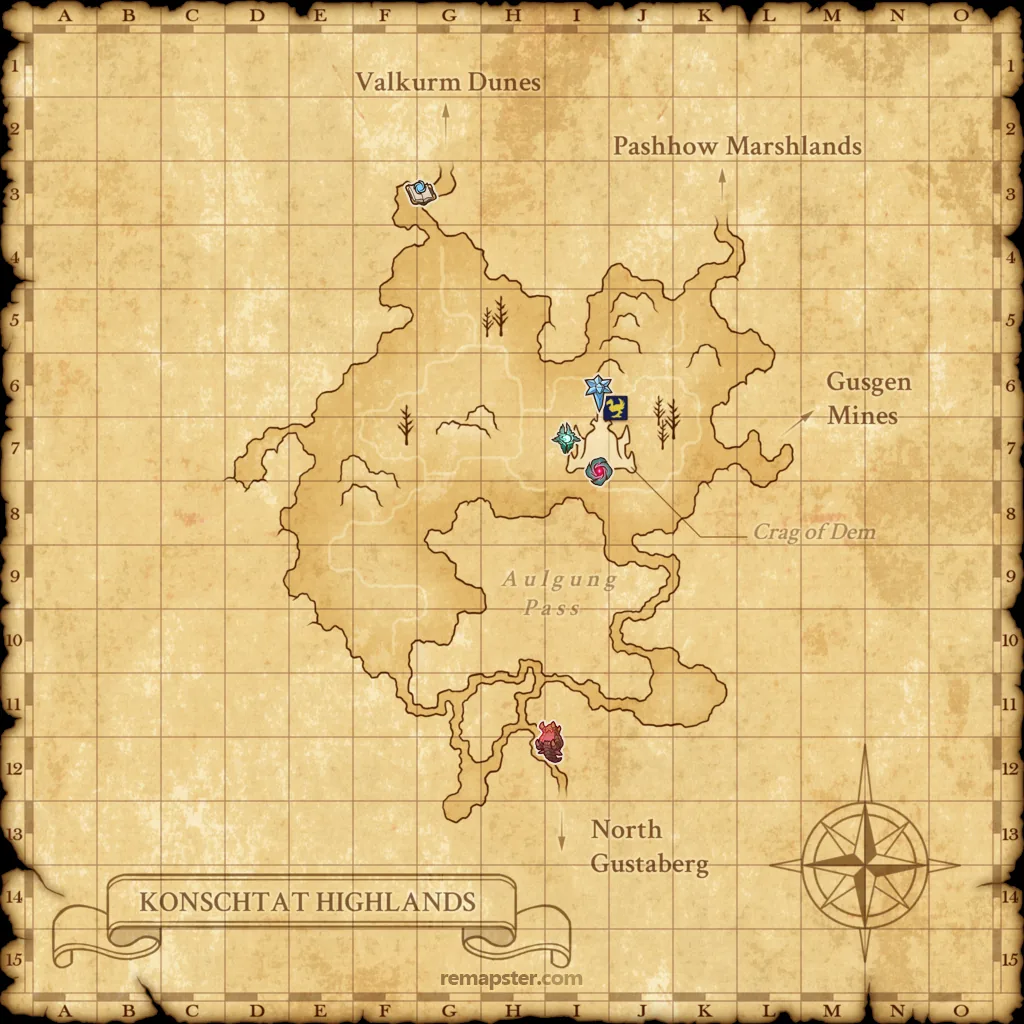
Click anywhere. It finds its way.
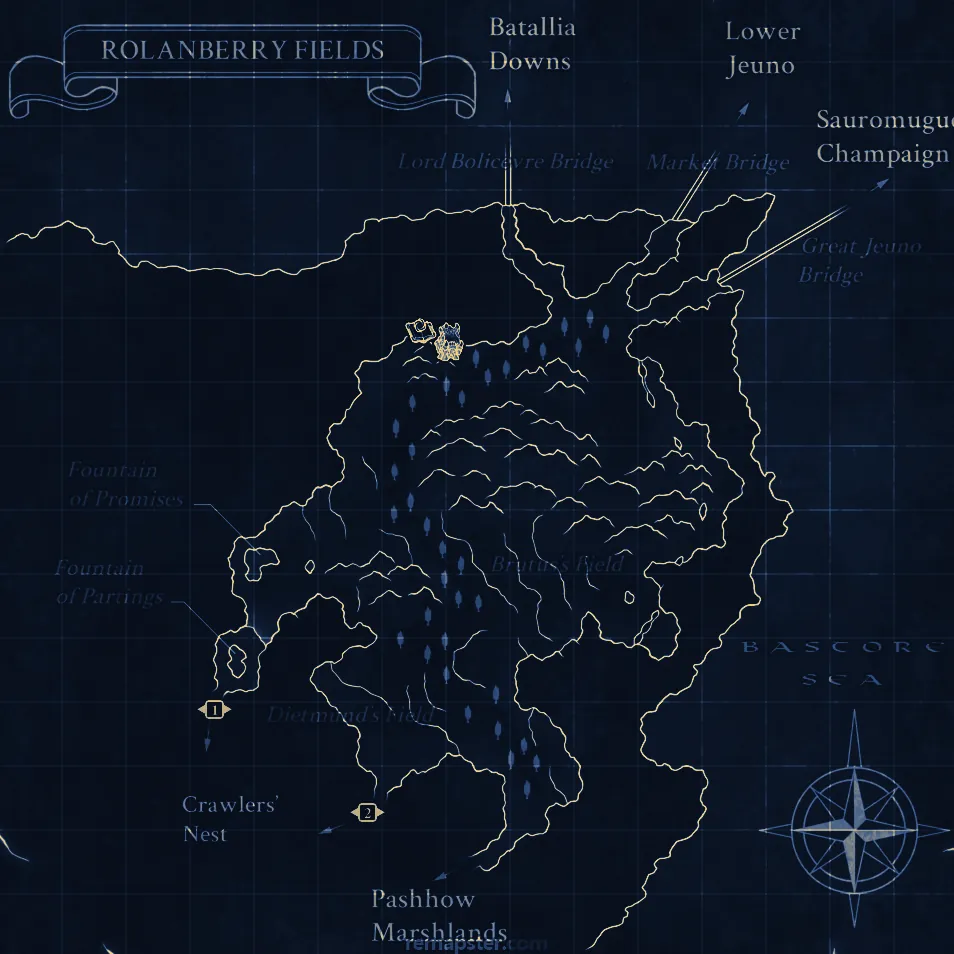
Open any zone's map, click where you want to be, and the Walker takes you there: across every zone in between, on the navmesh in 266 zones, and round the mobs that would aggro you on the way.
- Any map, any spotClick in your own zone, or type a zone name, pick it and click there. It works out which zone lines to take, from a table of 783 of them.
- Out of sight, out of earshotIt paths round the cone in front of a mob that sees and keeps its distance from one that hears. Mobs too weak to aggro you are left alone.
- Waits for its momentA mob on the move can turn at any time. The Walker waits until every one near the way has stopped, then slips past behind them.
- Sneak and Invisible, kept upWhen one wears off it goes straight back on, with Spectral Jig, the spells or Silent Oil and Prism Powder, and only where nothing close would notice the cast.
- My PlacesSave the spot you stand on under a name and walk back to it from anywhere. Mog House doors are places too.
- Learns as it goesEvery zone line it crosses is remembered where it really is, so the next trip is sharper.
Walking long, tidy routes on its own can still be noticed. Stay at the keyboard while it walks.
Rolanberry Fields
Walking to Port Jeuno · 3 zones
 Sees you in front
Hears you close
Zone line
Sees you in front
Hears you close
Zone line
Everything you would alt-tab for
Pages that read the game as you play, so the answer is beside the game instead of in a browser.
- TodayNM windows about to open, the next step of your quests, your bags, gear upgrades you own and your gil an hour, on one page.
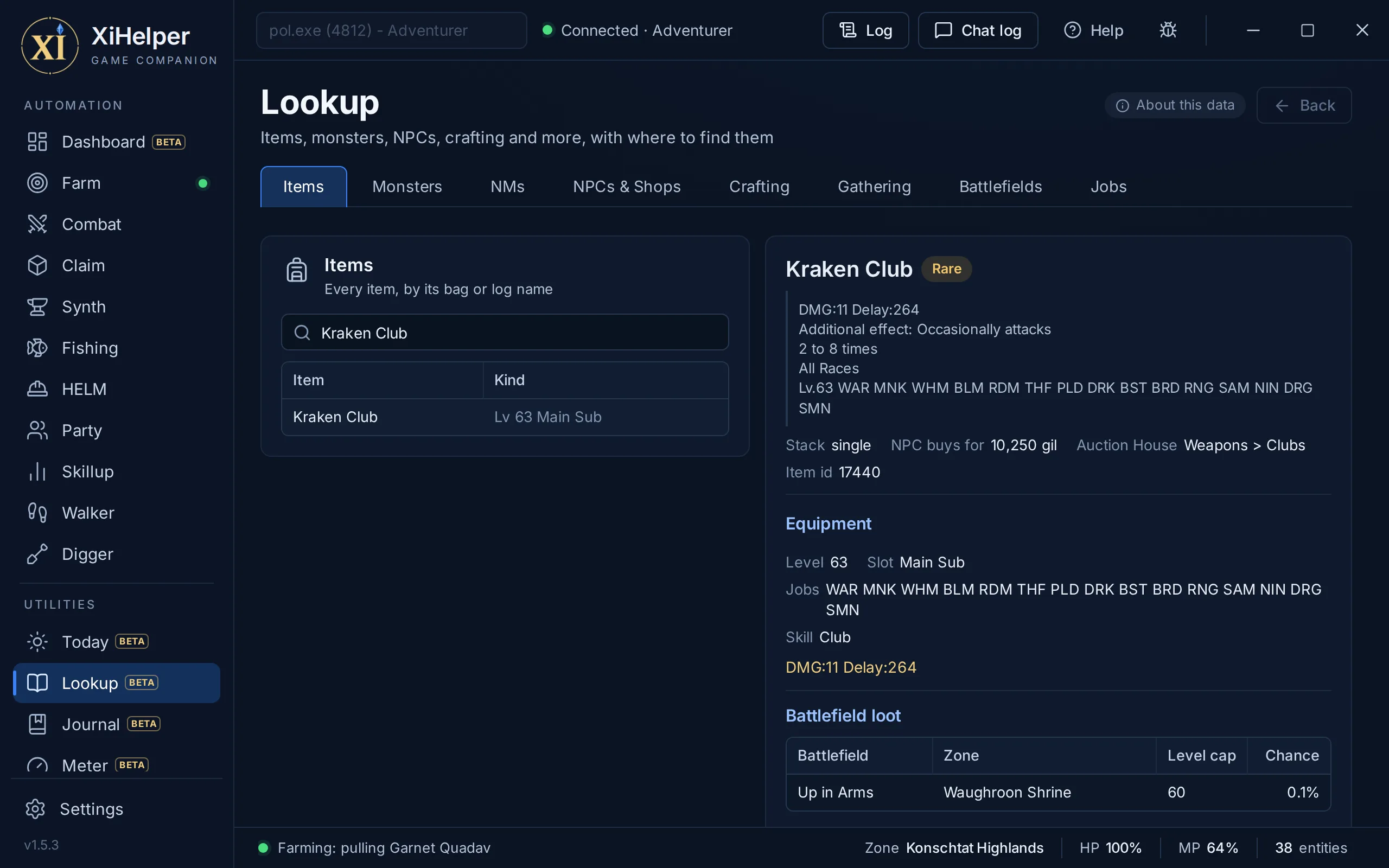
- LookupThe game's wiki, built in: items, monsters, NMs, NPCs, recipes and battlefields, with map squares and a button to walk there.
- JournalMissions and quests step by step, ticked off as you play, with an arrow in the game pointing the way.
- MeterYour party's damage, accuracy, weapon skills and threat as it happens, in a small window beside the game, and every fight kept to look back on.
- Bags and GearFind an item on any of your characters, see what your items fetch, and the gear you own that beats what you wear.
Right there on the game screen
An overlay you drag where you like, commands you type in the game's chat, and triggers that act on what the chat says.
- OverlayWhat the bots are doing, your target's level and whether it aggroes and links, EXP and LP an hour, damage a second and your next Journal step.
- /xih commands
/xih start fish,/xih stopand/xih togglestart and stop the bots from the game's chat, with the same checks as the window. - Chat triggersGame commands a chat line sets off, with or without a bot running. Game actions only: a trigger never says anything, so it can never answer a player for you.
Illustration, not a recorded screen.
A watchman on every tab
The Anti-Ban monitor runs beside whichever bot you use. When something needs your attention, it stops every bot on the spot and raises a banner until you dismiss it.
Anti-Ban
Safety monitor and automatic stop triggers
Automation always carries risk (see the FAQ). The monitor gives you control and a fast stop, not a guarantee.
Away from the PC, still in the game
XiHelper sends what reaches you to your phone through your own Telegram bot, and takes your answers back into the game.
- Chat that reaches youTells, GM lines, emotes aimed at you and your name in party or linkshell. Reply on your phone and it goes into the game.
- Reply draftsWith paid time, your AI service drafts three short replies under each message. Tap one to send it; nothing goes until you tap.
- Remote controlStart a bot or walk to the Auction House from your phone, each once you tap to confirm, and ask for your gil and watch list.
- Watch list alertsWhen an item you watch comes up, Buy pays exactly your bid, and only while your character stands at an Auction House counter.
- Only your chatYour bot token stays encrypted on your PC and goes only to Telegram. Settings, Warp, your items and keys are never reachable from the phone, and the only thing it can buy is a watch list item at your bid.
Illustration, not a recorded chat. Make your own bot for free with @BotFather in Telegram.
Auction House prices, and answers on your key
Two pages that come with paid time, crypto or PayPal. The free trial has everything else.
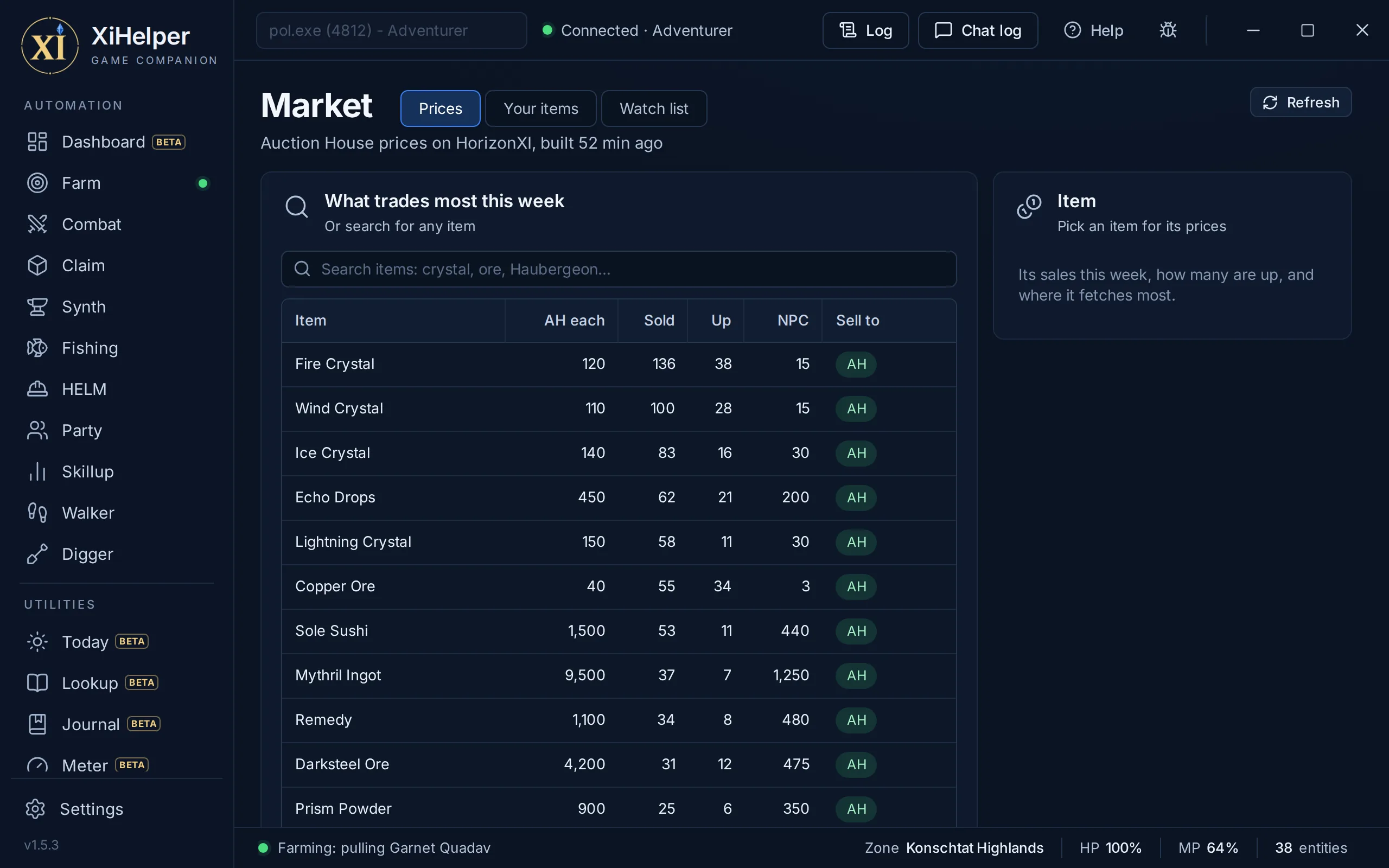
Market
Real Auction House sales for HorizonXI, PhoenixXI and EdenXI, collected from PSXI every two hours.
- What each of your items fetches after the fee
- A watch list that tells your phone when an item comes up
- Buys at your bid, only at an Auction House counter
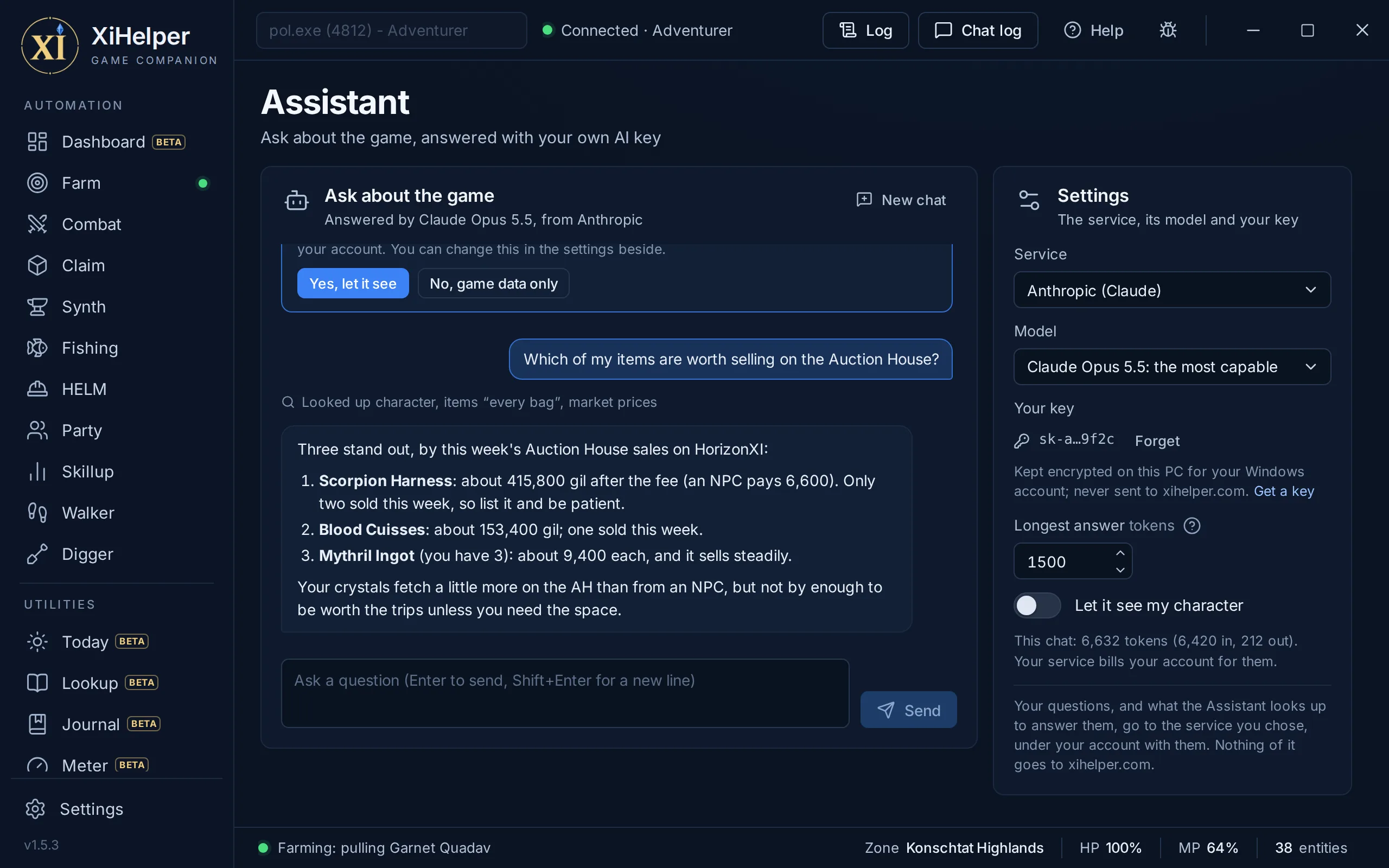
Assistant
Ask in plain words. It looks things up in the game data, the Market and, if you let it, your character, rather than guess.
- Claude, Gemini or OpenAI, on your own key
- Your key stays on your PC, never sent to us
- Your AI service bills you for what you use
The details that keep it running
Pull recovery
Not facing the mob? It turns to it. Ammo did not go on? It puts it back. A pull that fails three times is set aside.
Navmesh pathing
Paths around walls and through doorways in 266 zones, and gets itself unstuck.
Setups you can carry
Save a whole Farm, Combat or Fishing setup to its own file type, and load it on any PC.
Settings per character and job
Every character on every server keeps its own settings, and your Combat and Party setups can switch with your job.
Updates itself
A new version downloads in the background and installs the next time you start, or at once while no bot is running.
Pop-out windows
The Radar, the Meter, Chat, the Log and Help each open in a window of their own, beside the game.
One-click bug report
Sends us your log and settings. Chat only goes if you tick the box.
Private session logs
Encrypted on your PC before they are sent, with other players' chat left out. One switch turns them off.
Buy time, paste a key, play
No accounts to wire up and no passwords.
Try it, or buy time
Start a free 48-hour trial with just your email, or pay once with crypto for a block of prepaid time, or subscribe with PayPal. Your key and the download are waiting in Manage licence.
Paste your key
Start XiHelper and paste your key once. It runs one copy at a time, for as long as your time lasts.
Attach and press Start
Pick your server and game in Settings. XiHelper copies in its keyboard plugin, mythirdparty, as it attaches, the right build for your server: on HorizonXI it loads itself, and on Phoenix a banner reminds you to type /load mythirdparty. Then pick a tab and press Start.
Prepaid access, your way
Pay once with crypto, or subscribe with PayPal and cancel anytime in PayPal. One running copy per key at a time.
1 month
3 months
12 months
Already bought? Manage your licence. By buying you agree to the Terms and Refund Policy.

Back to the adventure
Windows only. Pay with crypto or PayPal, paste your key, and spend your time on the parts of Vana'diel you actually enjoy.